">
">
When digitising paper documents, choosing the right file format is almost as important as choosing the right document scanner. Two of the most widely used formats are PDF and TIFF, but they serve different purposes.
PDF is generally preferred for everyday document sharing and business workflows, while TIFF is often used when preserving high-quality image data is a priority.
So, which is the best file format for document scanning? The answer depends on how you plan to use, store and preserve your scanned documents, as well as whether you need features such as OCR, compression or searchable text.
What Is a PDF File?
PDF, or Portable Document Format, is one of the most commonly used formats for digital documents. It is designed to preserve the appearance and layout of a document across different devices and operating systems.
PDF files can contain text, images, graphics, hyperlinks and other information in a single document. They can also contain a searchable text layer when OCR (Optical Character Recognition) is applied during the scanning process.
This makes PDF particularly useful for businesses that need to scan invoices, contracts, forms, correspondence, reports and other everyday documents.
For example, a scanned contract can be converted into a searchable PDF, allowing employees to quickly find names, dates or specific terms without manually reviewing every page.
Modern scanning software can also create PDF/A files, which are specifically designed for long-term digital document preservation.
What Is a TIFF File?
TIFF, or Tagged Image File Format, is an image file format commonly used where preserving detailed, high-quality image data is important.
TIFF supports a range of compression options, including lossless compression, making it suitable for workflows where preserving detailed image data is important.. This makes it particularly useful for professional digitisation projects where maintaining image quality is a priority.
TIFF is commonly used for:
- Archives and libraries
- Historical documents
- Photographs and artwork
- High-quality document masters
- Archival and cultural heritage collections
- Technical drawings
- Professional digitisation projects
Unlike a typical PDF, TIFF is primarily used to preserve image data rather than provide a document format optimised for everyday viewing, searching and sharing.
PDF vs TIFF: What Is the Difference?
The main difference comes down to usability versus image preservation.
| Feature | TIFF | |
| Ease of sharing | Excellent | Less convenient |
| Searchable text | Yes, with OCR | Requires separate OCR workflow |
| Multi-page documents | Excellent | Supported |
| File size | Often smaller | Can be larger |
| Image preservation | Very good | Excellent when appropriately configured |
| Everyday business use | Excellent | More specialised |
| Long-term image preservation | PDF/A is designed for this | Commonly used for high-quality master images |
| Web and email sharing | Excellent | Less convenient |
| OCR workflows | Well suited | Can support OCR workflows |
| Archival master files | Suitable in some workflows | Often preferred for high-quality masters |
There is no universally “better” format. The right choice depends on the purpose of the digitisation project.
When Should You Choose PDF?
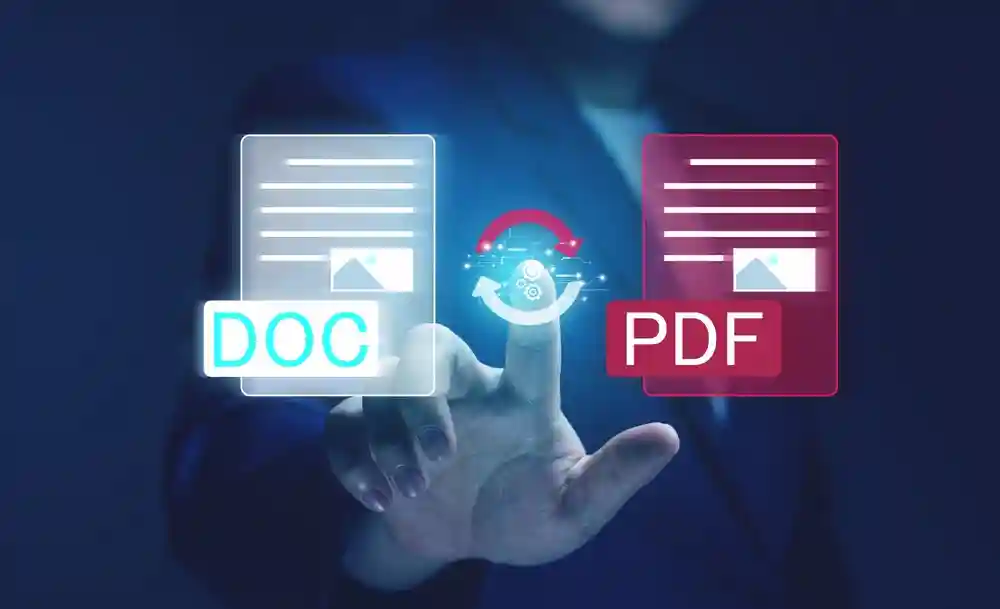
PDF is usually the better option when scanned documents need to be accessed, searched, shared or integrated into everyday business processes.
For example, a business scanning thousands of invoices may want employees to search documents by supplier name, invoice number or date. A searchable PDF can make this process considerably easier by allowing users to search the recognised text within the document.
PDF is also convenient because most computers, smartphones and document management platforms can open PDF files without specialised software.
For businesses focused on document workflow automation, PDF can therefore be a practical choice for distributing and managing digitised records.
InoTec’s production scanning solutions support advanced workflows and output formats, including PDF/A, TIFF and other formats through SCAMAX scanning software.
When Should You Choose TIFF?
TIFF can be a better choice when image quality and preservation are more important than convenience.
For example, an archive digitising historical photographs may want to retain as much visual information from the original material as possible. In this situation, creating a high-quality TIFF master can provide a valuable preservation file.
TIFF can also be useful when documents need to be processed further or when organisations require a high-quality source image from which other formats can later be created.
This is particularly relevant for libraries, museums, universities, government archives and organisations involved in large-scale digitisation.
InoTec’s scanning solutions support TIFF output alongside PDF and other formats, allowing organisations to select an output format based on the requirements of each project.
What About PDF/A?
If your organisation is digitising documents for long-term storage, PDF/A is another format worth considering.
PDF/A is a family of PDF standards designed for long-term preservation and consistent reproduction of digital documents. It can be particularly useful for organisations that need to retain digital records for many years.
However, the choice between PDF/A and TIFF should still be based on the purpose of the project.
A practical approach may be to retain a high-quality TIFF as a master image while creating a searchable PDF or PDF/A derivative for everyday access. This allows organisations to balance preservation with usability.
Does File Format Affect Scanning Quality?
The file format is only one part of the overall digitisation process.
The quality of the captured image depends heavily on factors such as scanner resolution, colour accuracy, image processing, exposure, sharpness and document handling.
For example, InoTec’s SCAMAX production scanners support resolutions of up to 600 dpi and advanced image-processing functions for high-volume document digitisation.
Understanding these factors is important when planning a scanning project. InoTec’s guide on how image quality can be measured in document scanning explains why resolution alone does not determine the quality of a digital document.
Which Format Is Best for Your Business?
For most businesses, PDF is likely to be the most practical everyday format. It is easy to share, search, store and integrate into common document management systems.
However, organisations involved in professional digitisation, archival preservation or high-quality image capture may benefit from TIFF-based workflows, particularly when retaining high-quality master images is important.
The decision can also vary depending on the type of material being scanned. High-volume loose documents may require a production scanner and searchable PDF workflow, while photographs, books, historical documents and other specialist materials may require different scanning and preservation strategies.
For specialist materials, InoTec provides solutions across production, book, photo and large-format scanning applications. Its range includes SCAMAX production scanners, Zeutschel book and digitisation systems, and WideTEK flatbed and large-format scanners.
PDF or TIFF: The Final Verdict
So, PDF vs TIFF – which file format is best for document scanning?
For everyday business documents, PDF is generally the better choice because it offers excellent accessibility, easy sharing, searchable text and support for multi-page documents.
For high-quality image preservation and professional digitisation, TIFF can be the better option, particularly when retaining a high-quality master copy is important.
In some projects, you do not necessarily have to choose just one. A high-quality TIFF can be retained as the master image, while searchable PDF or PDF/A files can be created for everyday access and distribution.
The most important consideration is to choose the file format based on your scanning objectives, document type, storage requirements and future use.
With professional document scanning solutions from InoTec, organisations can select the appropriate scanning technology and output workflow for their specific requirements. From high-volume SCAMAX production scanners to Zeutschel book and archival scanners and WideTEK large-format solutions, InoTec provides scanning technology designed for a wide range of professional digitisation applications.